
The AI editor for shipping real code.
Chat with an agent that edits your project, review every change as an inline diff, and run it all in one fast desktop app.
v0.1.11 · macOS, Windows, Linux · All downloads
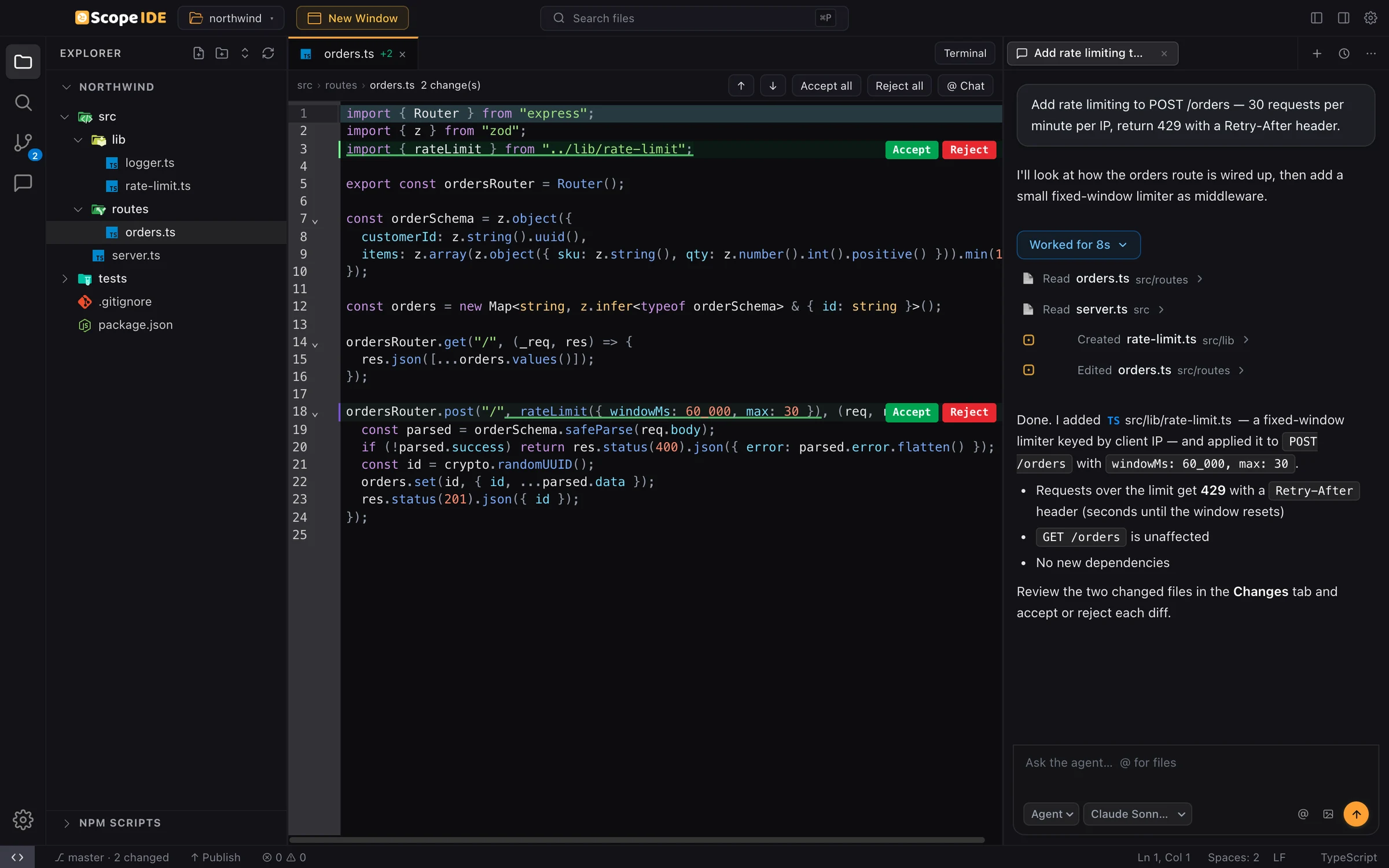
Describe the change. Watch it happen.
Ask in plain language. The agent reads your code, edits files and runs commands, and every step shows up in the thread so you always know what it did.
- One thread per task, saved with your project
- Every file read, edit and command is listed
- Attach images and reference files with @
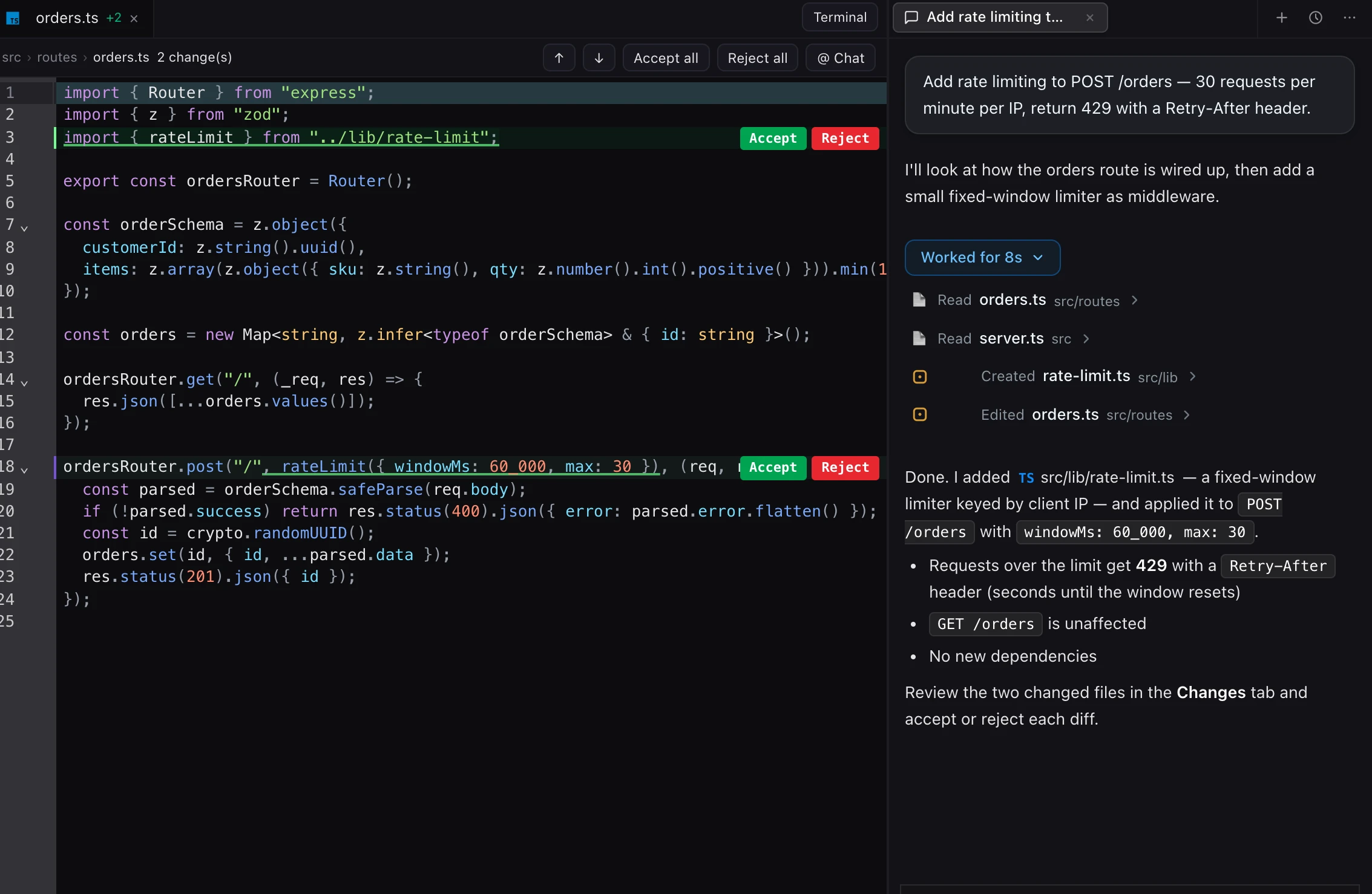
You stay in control of every line.
Edits land as inline diffs in the editor, with Accept and Reject on each change. Take what you like, drop the rest, or accept the whole set at once.
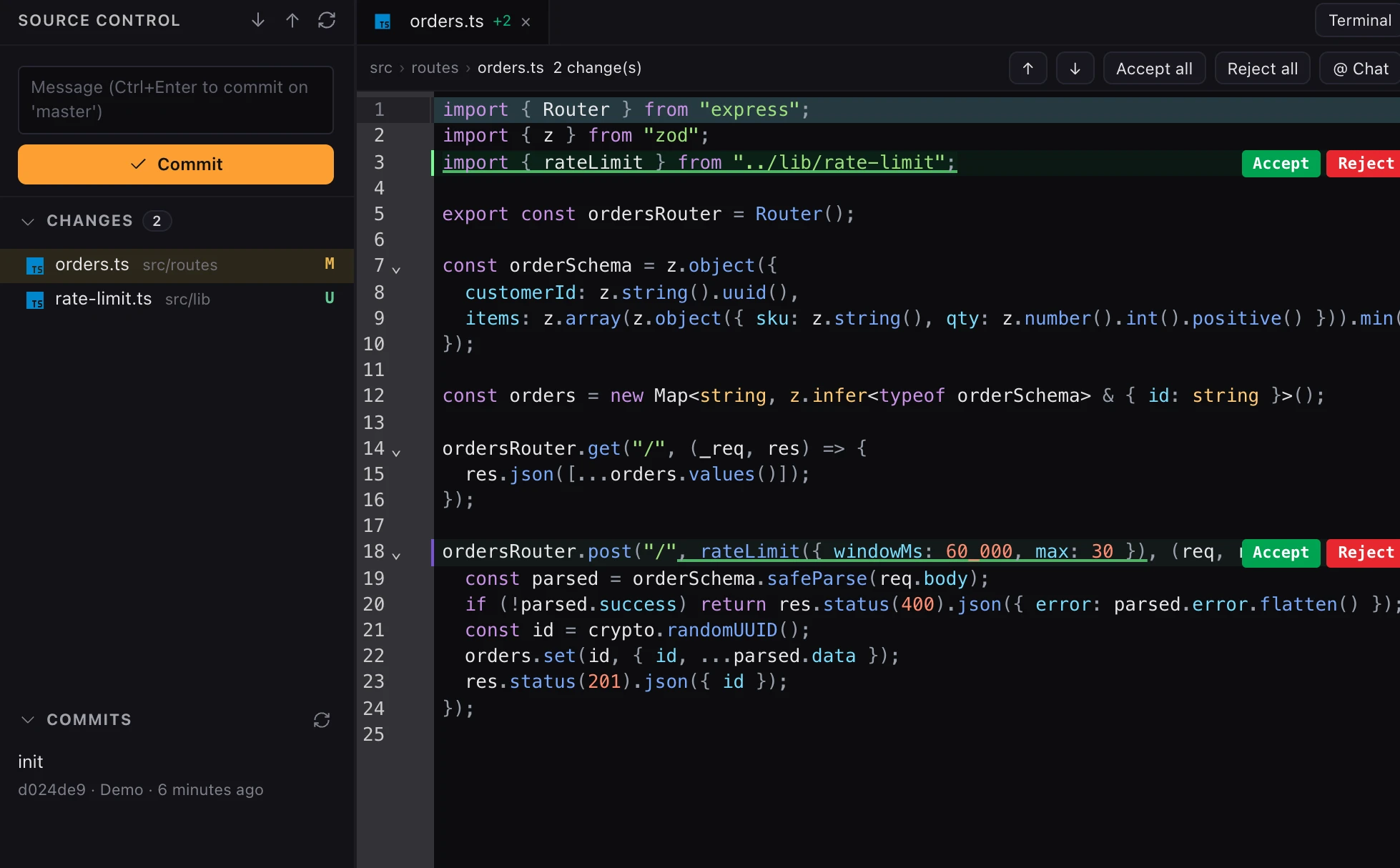
- Per-change Accept / Reject, plus Accept all
- Source Control shows exactly what changed
- Commit from the editor when you are happy
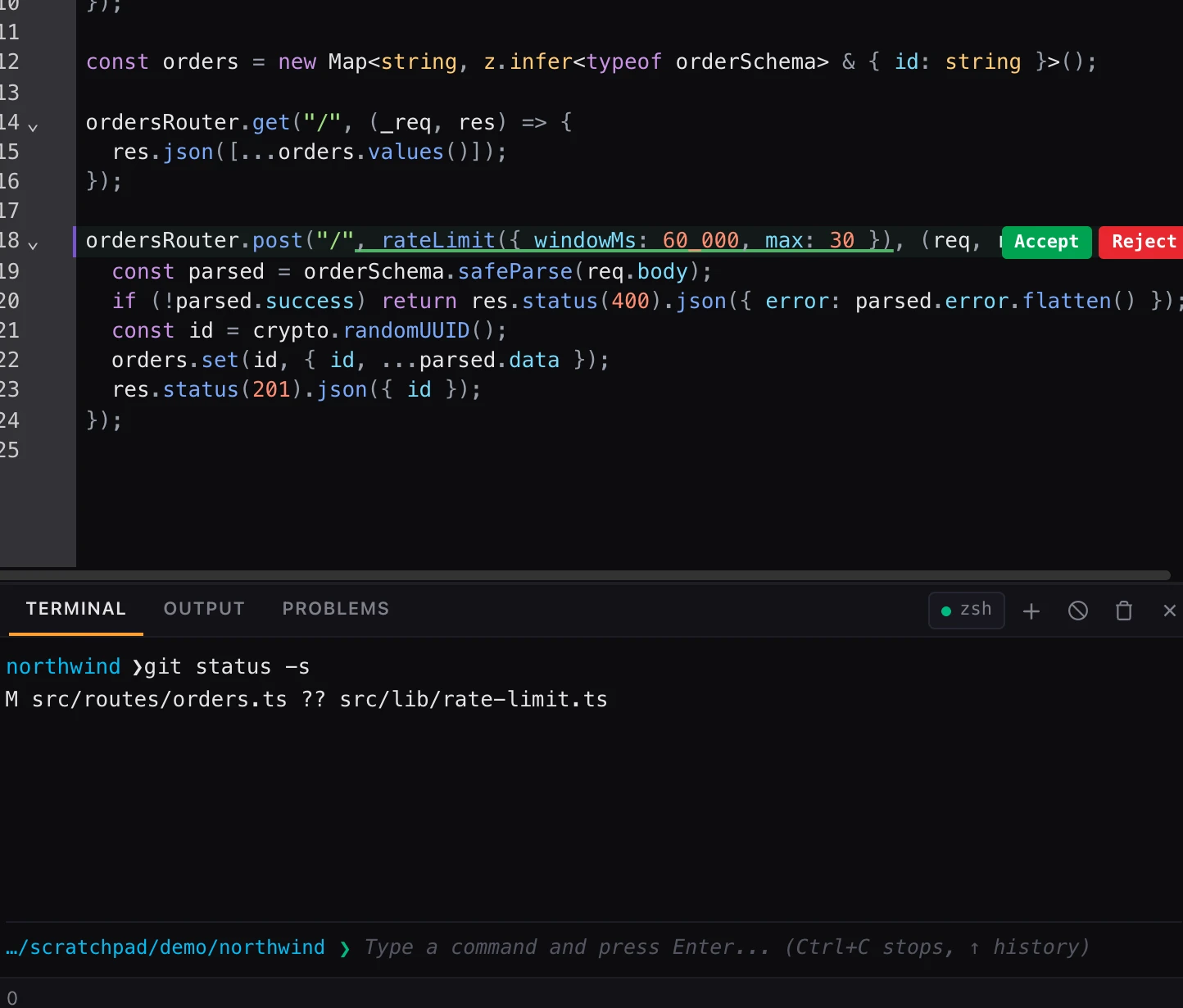
A real shell, right next to your code.
Run tests, start your dev server and inspect output without switching windows. The agent uses the same terminal, so nothing happens out of sight.
- Full shell in your project folder
- Open more than one terminal tab
- Agent commands ask for your approval
An editor, not a chat window.
Threads that keep context
Every task is its own thread. Switch between them without losing the plan, the files or the history.
Git built in
See changes, write the commit message, commit and review history without leaving the editor.
Real terminal
A full shell in your project folder. The agent runs commands there and you can watch every one.
MCP servers
Connect your own tools. Each call asks for approval before it runs on your machine.
Remote over SSH
Open a folder on a server and work on it like it was local, agent included.
You approve every change
Edits arrive as diffs you accept. Commands and tools ask before they run on your machine.
Same agent, no window.
The Scope CLI is for scripts, CI and quick fixes over SSH. Run one prompt headlessly, or start an interactive session.
$ npm i -g @scopeide/cli$ scope --help
Usage: scope [options] [command]
Options:
-p, --prompt <text> run a single prompt headlessly
--model <id> model id (see `models`)
--plan plan mode: read-only exploration
-c, --continue continue the most recent session
--output-format <fmt> text, json or stream-json
Commands:
chat interactive session in the current directory
doctor check your environment
login log in via browserSimple, transparent pricing.
Questions, answered
Is Scope IDE free?+
Yes. The free plan includes monthly credits on open models, enough to try real tasks. Paid plans add stronger models and higher limits.
Does my code leave my machine?+
Files stay on your computer. Only the context needed for a request is sent to the model you choose.
Which models can I use?+
Open models on the free plan, premium models on paid plans, or any provider through your own API key. See the model catalog on the pricing page.
Do I have to accept every change?+
No. The agent proposes edits as inline diffs. You accept or reject each one, or all at once. Commands and MCP tool calls ask before they run.
Is there a command-line version?+
Yes. The Scope CLI runs the same agent in your terminal, for scripts, CI and quick tasks. The desktop app is the main experience.
Which platforms are supported?+
macOS (Apple Silicon and Intel), Windows and Linux.